
Preview #
Preview tab allows to check the final output - script. Behaviour of the Preview is as follows:
- in edit mode, the latest autosaved version is used as an input to the template and generation; this is valid only for user that has the element locked
- in view mode, the latest pushed version of metadata is used
- all other users can generate outputs as well with the latest pushed version
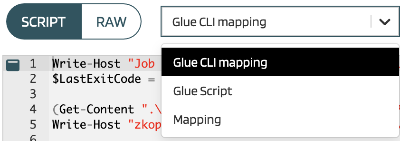
User can select between all objects defined for the element. In dropdown, there is a list of them.
User can also check raw data by switching toggle to RAW. A JSON is generated with all data that enters to a template for generation.
There can be much more data in JSON than used for the specific output generation. This raw data view can help with a template enhancements.
Preview always generates CREATE scripts. It does not work with deployed versions (in contrast with Deployments) so it does not support ALTER.