Custom attributes #
For the situation when standard attributes built-in the MetaCroc are not sufficient for describing of the element, users can define custom attributes that enhance stored element information.
Custom attributes are visible on Overview tab of the element.
Custom attribute edit #
A custom attribute can be added in Settings/Custom attributes.
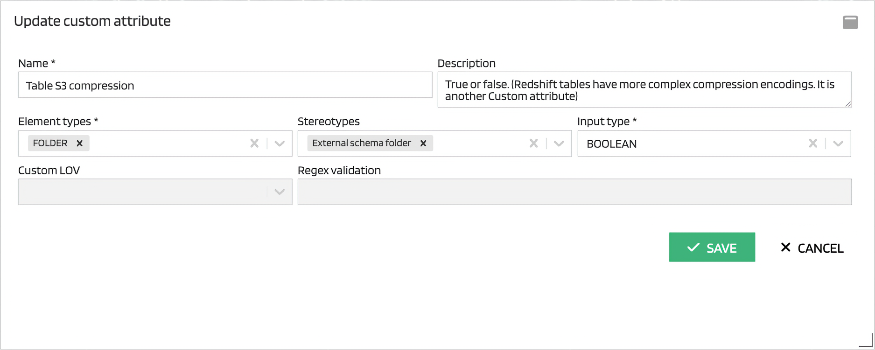
| Attribute | Description |
|---|---|
| Name | The custom attribute name. The name should be descriptive to serve for quick orientation in the metadata. Name is also used as the attribute caption on the Overview tab. |
| Description | A free text explaining the custom attribute meaning |
| Element types | A multi-selection of an element types for which is the custom attribute used. |
| Stereotypes | A multi-selection of a stereotypes for which is the custom attribute used. |
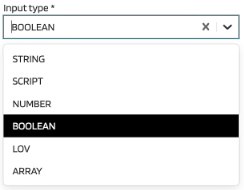
| Input type | Data type of the custom attribute. It also determines an input type in forms. |
| Custom LOV | User can limit inputs to a list of values. Custom LOVs are defined as a separate objects in Settings. |
| Regex validation | A regular expression for input validation. |
A list of input types:
Custom LOV #
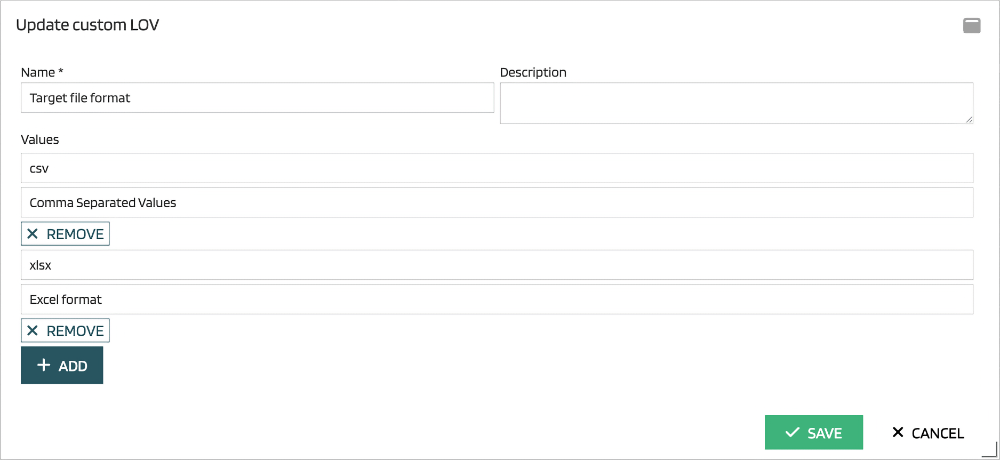
Sometimes, it is necessary to limit values in a custom attribute to several values. For this purpose, it is possible to define a list of values and connect it to the custom attribute.
Here is an example of a custom LOV: